Add your favorite color and the matching font color to all emails

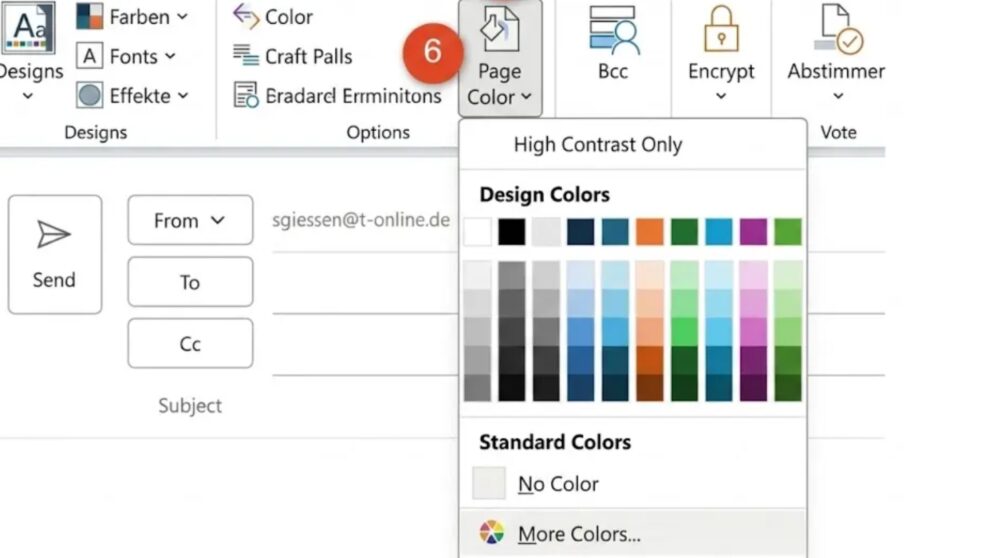
Staring at a plain white screen every time you compose an Outlook email doesn't have to be the norm. Changing the background colour in Outlook is straightforward — and it can make writing feel noticeably more comfortable. Via the Options tab, the Page colour button lets you apply any fill colour to your email in just a few clicks, provided your format is set to HTML or Rich Text. For darker backgrounds, simply adjust the font colour to white using Ctrl + A to ensure your message stays legible. This small email customisation takes seconds but adds a personal, polished touch to every message you send.
Add your favorite color and the matching font color to all emails

Andrea J. asks:
I write a lot of emails with my Outlook. However, I don’t like the white background color of the emails. I have the feeling that the color white blocks me from writing. In Word, I change the background color for every new document. My texts flow much more easily there too. Can I also change the background color for e-mails in Outlook?

Hiroshi Nakanishi answers:
Dear Ms. J., yes, you can also set any background color for ...

Premium article

This article is part of our Premium subscription. Unlimited access to over 500 guides.